Measurement from the running firmware
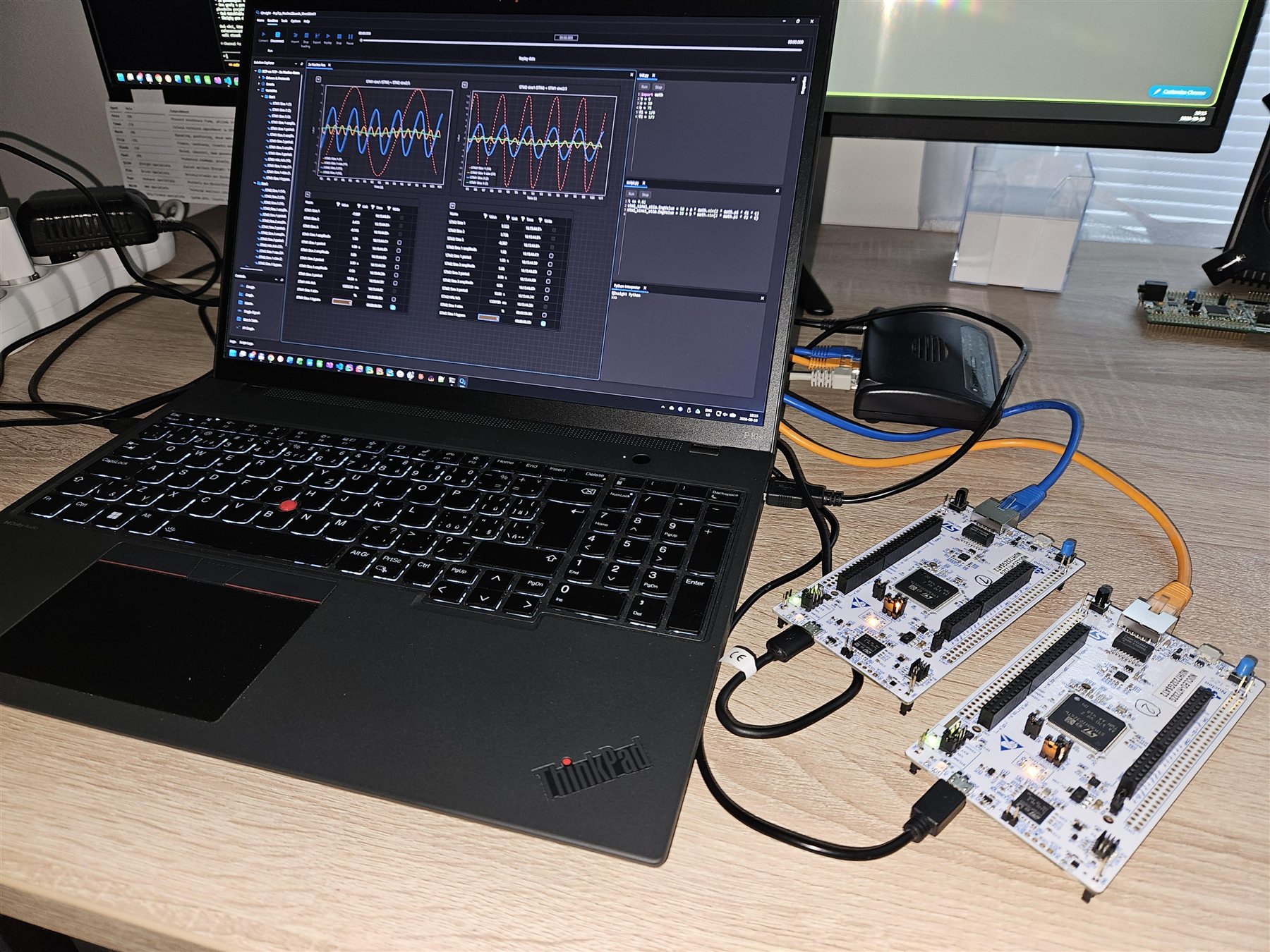
The device samples values in its own cycle with 1 µs timestamps. QInsight displays, logs and replays them — no debug probe, no halting the CPU.
QFW SDK
Source code that adds the XCP protocol to your device firmware. QInsight then measures timestamped values from the running firmware, calibrates parameters, and stimulates signals — over Ethernet or CAN, without a communication protocol of your own.
Functions
The device samples values in its own cycle with 1 µs timestamps. QInsight displays, logs and replays them — no debug probe, no halting the CPU.
Change parameters from QInsight directly in the unit's memory. Stream signals from the PC into the firmware (STIM) in sync with your application cycle.
The engine implements ASAM MCD-1 XCP 1.4. You write neither a protocol nor a parser; you add the engine sources to your project and connect them to the transport.
SDK structure
Engine, glue layer, example project and variable address tools — all in source code, compiled by your own compiler. The SDK is part of the QInsight installation.
A set of source files with a single public header. No threads, sockets, heap or blocking calls: it receives transport data, returns data to transmit, and gets time, locking and logging through callbacks. It therefore depends on neither the operating system nor the network stack; the glue layer provides the binding.
A reference binding of the engine to a concrete environment, shipped as a source template: FreeRTOS + lwIP (sockets) or no RTOS + lwIP raw API for XCP on TCP, FreeRTOS + FDCAN for XCP on classic CAN (STM32H7). Adapt it to your project; for another RTOS or stack write your own following the same pattern.
Two complete NUCLEO-H723ZG projects (CubeMX/CMake, lwIP): with FreeRTOS and the presets Debug for Ethernet and DebugCan for classic CAN, and without an RTOS for Ethernet — from initialization to live measurement in QInsight. The matching QInsight projects are in the Examples folder.
Transports
The engine compiles in one of two variants; an image contains exactly one of them. Only the receive entry differs.
| XCP on TCP (Ethernet) | XCP on CAN | |
|---|---|---|
| When | devices with Ethernet, high data volumes | devices on a CAN bus, PC with a PEAK CAN adapter |
| Frames | up to 1024 B per DAQ packet | classic CAN, 8-byte frames |
| Glue | FreeRTOS + lwIP (TCP server task) or no RTOS + lwIP raw API (main loop) | FreeRTOS + FDCAN (STM32H7), server task |
| Engine variant | QFW_XCP_TRANSPORT=eth | QFW_XCP_TRANSPORT=can |
Integration
Initialization with callbacks, event creation, and its trigger in your task cycle. The tools shipped in the SDK (elf_vars_scan.py) read the variable addresses from the ELF file and prepare them for import into QInsight; no A2L is needed. The documentation describes the procedure step by step, from a new CubeMX project to the QInsight connection.
qfw_xcp_config_t cfg = QFW_XCP_CONFIG_DEFAULT;
cfg.project_name = "MyEcu";
cfg.epk          = "V1.0.0";
cfg.transmit     = my_transmit;      // TCP stream or CAN frame
cfg.get_clock    = my_clock_us;      // monotonic time in us
cfg.crit_enter   = my_lock;
cfg.crit_leave   = my_unlock;
cfg.queue_mem    = queue_memory;     // static memory, no allocations
cfg.queue_mem_size = sizeof(queue_memory);

qfw_xcp_init(&cfg);

uint16_t ev10ms = qfw_xcp_create_event("task10ms", 10000);

// in the 10 ms task / timer:
qfw_xcp_trigger_event(ev10ms); // samples DAQ lists, applies STIMCompatibility and requirements
Licensing
The QFW SDK is the same for every license: no activation key, no time limit in the engine, no per-customer build. A user on a Free license and a company on a Commercial license use the same sources.
The QFW SDK has no separate price and no licensing mechanism of its own. The QInsight license sets the scope: with Free and Trial, QInsight measures for 30 minutes per start and then returns to edit mode by itself; with Commercial there is no limit.
You may ship the compiled engine only as part of the firmware of your own product; the SDK sources themselves are not redistributed. Details in the QENEX Software License Agreement.
The QFW SDK is part of the QInsight installation and is not offered as a separate package: after installing, you find it in the QInsight installation folder. The installer is downloaded after signing in at account.qenex.net, where you also obtain your license.
Further protocols
The same model — engine, glue layer and example project in source code — is ready for further protocols QInsight communicates with.